eFax Review 2026: Features, Pricing, Security, and How It Works
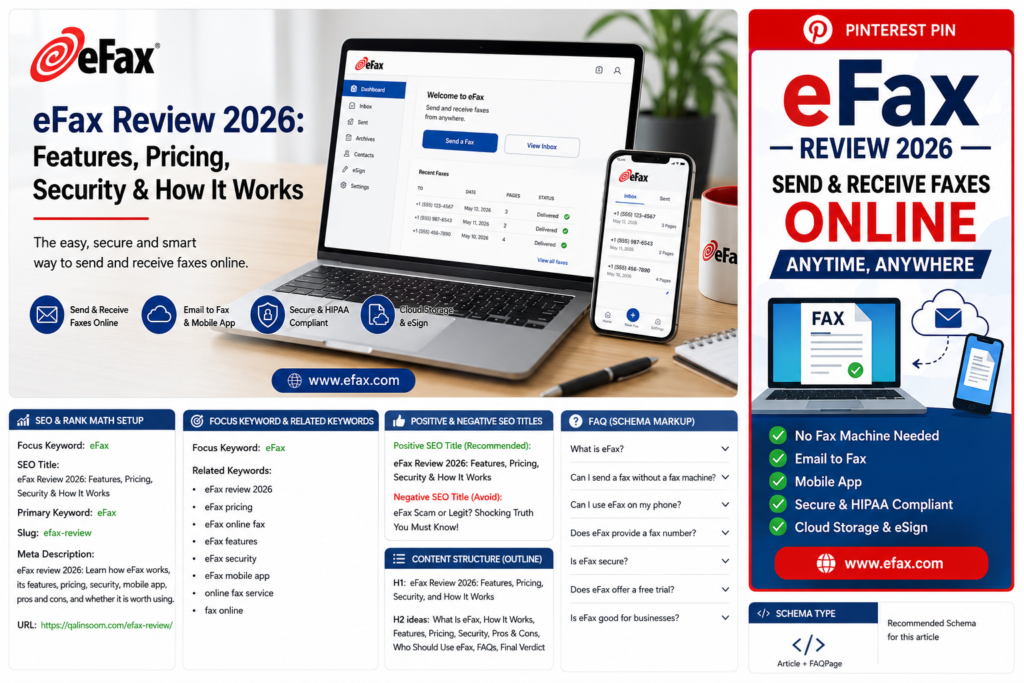
If you still need to send or receive faxes but do not want to maintain a traditional fax machine, eFax offers a convenient online alternative. The service allows individuals, professionals, and businesses to send, receive, sign, store, and manage faxes through the internet.
In this eFax review, we’ll explain how eFax works, its main features, pricing plans, security, advantages and disadvantages, and who may benefit from using it.
What Is eFax?
eFax is a cloud-based online fax service that lets users send and receive faxes without a traditional fax machine, paper, toner, or dedicated telephone line.
According to eFax, the service has been operating for more than 30 years and provides online faxing for individuals, small businesses, and large organizations. Users can fax through email, a web browser, desktop software, or mobile devices.
You can visit the official eFax website to explore its plans and features.
How Does eFax Work?
eFax replaces many of the functions of a traditional fax machine with cloud-based technology.
After creating an account, you can receive a fax number or transfer an existing fax number to eFax. You can then send and receive documents online.
The basic process is:
- Create an eFax account.
- Choose a local or toll-free fax number.
- Upload the document you want to fax.
- Enter the recipient’s fax number.
- Send the fax online.
- Receive confirmation when the fax is delivered.
- Store and manage your documents digitally.
You can also receive faxes directly through your email and access them from supported devices.
Key eFax Features
eFax provides several features designed to make digital faxing easier.
1. Online Faxing
The main benefit of eFax is that you can send and receive faxes without owning a physical fax machine.
This can be useful for businesses that only occasionally need faxing or for remote workers who need access to documents outside the office.
2. Email-to-Fax
With email-to-fax, users can send a fax directly from their email account. eFax also supports receiving faxes through email, making the process similar to regular digital communication.
3. Mobile App
eFax offers mobile apps for iOS and Android. The mobile app allows users to send and receive faxes, access documents, sign files, and manage fax communications from a smartphone or tablet.
This can be particularly useful for freelancers, sales professionals, real estate agents, and business owners who work away from an office.
4. Electronic Signatures
eFax allows users to electronically sign documents before sending them. This means you can avoid printing, signing, scanning, and then faxing the document.
For businesses that frequently exchange contracts or forms, this can save time.
5. Cloud Storage
Faxes can be stored digitally instead of being kept in physical folders. eFax provides searchable fax storage, allowing users to find older documents more easily.
6. Fax Number Options
Users can choose a local or toll-free fax number. eFax also allows existing fax numbers to be transferred to the service.
7. Desktop Faxing
eFax also provides desktop functionality that allows users to send faxes from a computer without needing a traditional fax machine.
8. Large File Sharing
For business users, eFax provides large-file sharing capabilities. Its security information states that files of up to 3GB can be shared through its services.
eFax Pricing
eFax offers different plans for individuals, small businesses, and larger organizations.
According to the current pricing information on the eFax website, the Personal plan includes 200 pages per month to the U.S. and Canada, one user license, and one fax number. Additional pages are charged separately.
The Business plan includes 500 pages per month to 51 countries, five user licenses, and options for additional users and fax numbers.
Corporate plans are customizable for larger organizations and can include advanced integrations, administration tools, and dedicated account management.
eFax also advertises a 7-day free trial for its online fax service.
Because pricing and promotional offers can change, it is best to check the official pricing page before subscribing.
Is eFax Secure?
Security is an important consideration when sending documents online, especially for businesses that handle sensitive information.
eFax states that it uses 256-bit AES encryption and TLS/SSL security technologies to protect fax data. Its business services also support compliance requirements such as HIPAA, with Business and Corporate plans offering a Business Associate Agreement (BAA).
eFax also provides cloud storage and searchable documents, which can make managing business records easier.
However, users should always review the specific security and compliance requirements that apply to their industry before selecting an online fax provider.
Is eFax HIPAA Compliant?
eFax offers HIPAA-compliant options. Its current Personal and Business plans advertise HIPAA compliance, while the Business plan includes a BAA for healthcare organizations.
This can make eFax useful for organizations that need to exchange sensitive healthcare information.
Businesses should still verify that their selected plan and configuration meet their specific compliance obligations.
eFax for Businesses
eFax can be useful for businesses that still depend on faxing but want to reduce their reliance on physical equipment.
Instead of purchasing and maintaining a fax machine, businesses can use computers and mobile devices to manage their fax communications.
Potential benefits include:
- No traditional fax machine required
- Digital document storage
- Email-to-fax functionality
- Mobile faxing
- Electronic signatures
- Multiple users
- Local and toll-free fax numbers
- Security and compliance features
- Scalable business plans
For larger organizations, eFax Corporate provides additional administrative and integration capabilities.
eFax for Individuals and Freelancers
Individuals and freelancers may also find eFax useful when they occasionally need to send official documents.
For example, a freelancer may need to fax a signed form to a client, while a professional may need to send paperwork to an organization that still requires fax communication.
Using an online fax service eliminates the need to find a physical fax machine every time a document needs to be sent.
Pros and Cons of eFax
Pros
- Send and receive faxes online
- No traditional fax machine required
- Mobile apps for iOS and Android
- Email-to-fax functionality
- Electronic signatures
- Cloud storage
- Searchable faxes
- Local and toll-free fax numbers
- Business and enterprise options
- Security and compliance features
Cons
- Monthly subscription required after the trial
- Additional pages can result in extra charges
- Heavy fax users may need a more expensive plan
- Some advanced features are designed primarily for business customers
eFax vs. Traditional Fax Machines
Traditional fax machines require hardware, paper, toner, maintenance, and a suitable location.
eFax moves the process online. Instead of printing a document and feeding it into a fax machine, you can upload the document and send it electronically.
| Feature | eFax | Traditional Fax |
|---|---|---|
| Physical machine | Not required | Required |
| Paper | Usually not required | Required |
| Toner/ink | Not required | Required |
| Mobile faxing | Yes | Limited |
| Email integration | Yes | Usually limited |
| Cloud storage | Yes | No |
| Electronic signatures | Yes | Usually requires scanning |
| Remote access | Yes | Limited |
| Maintenance | Low | Higher |
For people who only need faxing occasionally, an online service can be much more convenient than maintaining dedicated hardware.
Who Should Use eFax?
eFax may be a good option for:
- Small businesses
- Freelancers
- Remote workers
- Healthcare organizations
- Legal professionals
- Real estate professionals
- Financial businesses
- Large organizations
- Anyone who needs occasional online faxing
It may be less attractive for someone who never needs to send or receive faxes.
How to Get Started With eFax
Getting started is relatively straightforward.
First, visit the eFax website and select the plan that fits your needs. You can then create an account and choose a fax number or transfer an existing number.
After setting up your account, you can send documents through the eFax platform, email, desktop tools, or mobile app.
The mobile app can also be used to upload documents, sign files, send faxes, and receive notifications when new faxes arrive.
Is eFax Worth It in 2026?
For people and businesses that still need faxing, eFax can be a convenient alternative to traditional fax machines.
Its combination of online faxing, email integration, mobile applications, electronic signatures, cloud storage, and security features makes it suitable for different types of users.
The main question is how frequently you need to fax documents. If you regularly send and receive faxes, the convenience of an online service may justify the subscription cost. If you rarely fax anything, you may want to compare the available plans and alternatives before paying for a service.
Final Verdict
eFax is a well-established online faxing platform designed to make fax communication easier and more accessible.
Its ability to send and receive faxes through computers, email, and mobile devices eliminates much of the inconvenience associated with traditional fax machines. Business users can also benefit from features such as electronic signatures, cloud storage, security controls, and compliance options.
Overall, eFax is worth considering if you need a reliable way to manage fax communications without maintaining traditional fax hardware.
Frequently Asked Questions
What is eFax?
eFax is a cloud-based online fax service that allows users to send, receive, sign, store, and manage faxes through the internet.
Can I send a fax without a fax machine?
Yes. eFax allows you to send and receive faxes online without owning a traditional fax machine.
Can I use eFax on my phone?
Yes. eFax provides mobile apps for iOS and Android that allow users to send and receive faxes from smartphones and tablets.
Does eFax provide a fax number?
Yes. eFax allows customers to choose local or toll-free fax numbers and can also support transferring an existing fax number.
Is eFax secure?
eFax states that it uses encryption technologies including 256-bit AES and TLS/SSL to protect fax information.
Does eFax offer a free trial?
Yes. eFax currently advertises a 7-day free trial for its online fax service.
Is eFax good for businesses?
Yes. eFax offers Business and Corporate plans with features designed for teams and larger organizations, including multiple users, additional fax numbers, compliance options, and integrations.https://qalinsoom.com/best-online-business-2026