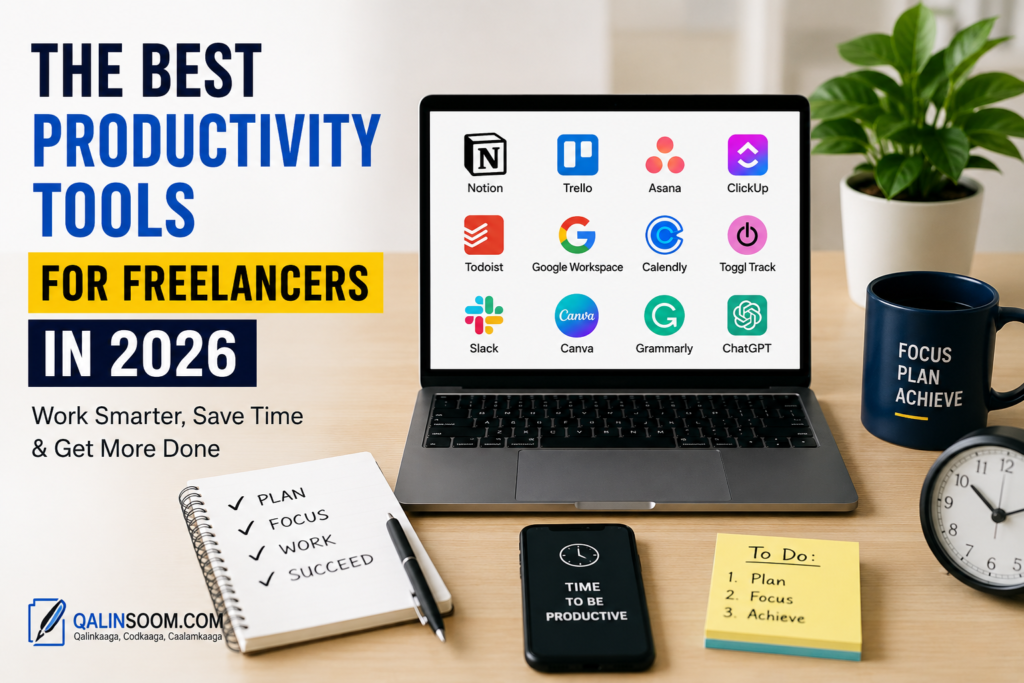
The Best Productivity Tools for Freelancers in 2026
Freelancing gives you freedom, but managing projects, clients, deadlines, communication, and payments can quickly become overwhelming. The right productivity tools can help freelancers save time, stay organized, and complete more work without unnecessary stress.
In this guide, we’ll explore the best productivity tools for freelancers in 2026, what each tool is useful for, and how to choose the right tools for your freelance business.
What Are Productivity Tools for Freelancers?
Productivity tools are apps and software that help freelancers organize their work and use their time more efficiently. They can help with tasks such as project management, time tracking, communication, writing, scheduling, file management, and invoicing.
Instead of using dozens of disconnected systems, freelancers can choose a small group of tools that cover their most important daily tasks.
Why Freelancers Need Productivity Tools
Freelancers often manage many responsibilities at the same time. You may need to communicate with clients, complete projects, create invoices, manage deadlines, and market your services.
The best productivity tools for freelancers can help you:
- Organize projects and tasks
- Track time spent on client work
- Manage deadlines
- Communicate with clients
- Schedule meetings
- Store and share files
- Automate repetitive tasks
- Reduce distractions
- Improve your overall workflow
The Best Productivity Tools for Freelancers in 2026
1. Notion
Notion is an all-in-one workspace that freelancers can use for notes, project management, content planning, databases, and documentation.
You can create a workspace for each client and keep project information, deadlines, notes, and tasks in one place.
Best for: Organization, project planning, notes, and content management.
2. Trello
Trello uses boards, lists, and cards to help you visually organize your projects.
For example, you can create columns such as:
To Do → In Progress → Review → Completed
This simple system makes it easy to see what needs to be done and what you have already completed.
Best for: Visual project management and task organization.
3. Asana
Asana is a powerful project management platform designed to help individuals and teams manage tasks and deadlines.
Freelancers can use it to create projects, assign deadlines, organize tasks, and monitor progress.
Best for: Managing multiple projects and complex workflows.
4. Todoist
Todoist is a simple task-management tool that helps freelancers organize daily tasks.
You can create separate projects for different clients and add due dates, priorities, and recurring tasks.
Best for: Daily task management and personal productivity.
5. ClickUp
ClickUp combines task management, project management, documents, goals, and other productivity features in one platform.
It can be useful for freelancers who want a more advanced workspace without switching between many different applications.
Best for: Freelancers managing multiple projects and workflows.
6. Google Workspace
Google Workspace provides tools such as Google Docs, Sheets, Drive, Calendar, and Gmail.
For freelancers, it can provide a central system for writing documents, storing files, scheduling meetings, and communicating with clients.
Best for: Documents, email, file storage, and collaboration.
7. Calendly
Scheduling meetings can take a lot of unnecessary back-and-forth communication. Calendly allows freelancers to create booking availability and let clients choose an available time.
This can make consultations, client calls, and project meetings much easier to schedule.
Best for: Meeting scheduling and client calls.
8. Toggl Track
Toggl Track helps freelancers monitor how much time they spend on different projects and tasks.
Time tracking can be particularly useful when charging clients hourly because you can better understand where your working hours are going.
Best for: Time tracking and understanding your work habits.
9. Slack
Slack is a communication platform that can help freelancers communicate with clients and teams.
Instead of relying entirely on email, you can organize conversations into channels and keep project discussions easier to find.
Best for: Professional communication and team collaboration.
10. Grammarly
Grammarly can help freelancers improve writing by identifying grammar, spelling, clarity, and style issues.
It can be particularly useful for freelance writers, marketers, virtual assistants, and professionals who communicate frequently with clients.
Best for: Writing and professional communication.
11. Canva
Canva is useful for freelancers who create visual content such as social media graphics, presentations, advertisements, thumbnails, and marketing materials.
Its templates can help freelancers create professional-looking designs without advanced graphic design skills.
Best for: Graphic design and marketing content.
12. ChatGPT
AI tools can help freelancers speed up repetitive tasks such as brainstorming, outlining, summarizing information, drafting content, and generating ideas.
ChatGPT can be useful as an assistant, but freelancers should review AI-generated content carefully and make sure the final work meets client requirements.
Best for: Brainstorming, research assistance, writing support, and repetitive tasks.
How to Choose the Right Productivity Tools
You don’t need every productivity app available. Using too many tools can actually make your workflow more complicated.
Before choosing a tool, consider:
Your Type of Freelance Work
A graphic designer may need Canva and cloud storage, while a freelance writer may benefit more from writing and project-management tools.
Your Number of Clients
If you manage several clients simultaneously, a project-management platform can help you keep deadlines and tasks organized.
Your Budget
Many productivity tools offer free plans, while advanced features may require a paid subscription. Start with free or affordable options and upgrade when your business needs more features.
Ease of Use
A powerful tool is not useful if you rarely use it. Choose software that fits naturally into your daily workflow.
Integration
Look for tools that work well together. For example, your calendar, task manager, communication platform, and cloud storage should not create unnecessary duplicate work.
A Simple Productivity Stack for Freelancers
A freelancer doesn’t need dozens of applications. A simple productivity stack could include:
- Project management: Trello, Asana, ClickUp, or Notion
- Tasks: Todoist
- Time tracking: Toggl Track
- Communication: Slack or email
- Scheduling: Calendly
- Documents: Google Workspace
- Design: Canva
- AI assistance: ChatGPT
The best combination depends on your profession and workflow.
Tips for Getting More Done as a Freelancer
Plan Your Day
Start each workday by identifying your most important tasks. Focus on high-priority work before spending time on less important activities.
Use Time Blocking
Divide your day into blocks dedicated to specific activities. For example, you could reserve one block for client work, another for email, and another for marketing.
Track Your Time
Time tracking can show you which activities consume most of your working hours. This information can help you improve your schedule and pricing.
Automate Repetitive Tasks
If you repeatedly perform the same task, look for an automation solution. Automating simple processes can save significant time over the long term.
Keep Your Tools Simple
Avoid installing an application for every small task. A small collection of well-integrated tools is often more effective than a complicated productivity system.
Final Thoughts
The best productivity tools for freelancers in 2026 are the ones that help you save time, stay organized, communicate effectively, and deliver client work on schedule.
Tools such as Notion, Trello, Asana, ClickUp, Todoist, Google Workspace, Calendly, Toggl Track, Canva, and ChatGPT can support different parts of a freelancer’s workflow.
You don’t need to use all of them. Start with the tools that solve your biggest productivity problems, build a simple workflow, and add new tools only when they provide real value.